
Indoor Plant Guide Pocket Ed.
M.StevensHouse & Home
4.638.00 Reviews
- Version
- 4.17
- Installs
- 10.00K
- Age Rating
- Everyone
Screenshots
Our Review of Indoor Plant Guide Pocket Ed.
 Analysis by Appyee
I tend to reach for a plant-care guide when something looks wrong, not when everything is thriving. A leaf turning yellow, a pot that stays damp, or a new plant with no label can turn a relaxed houseplant habit into a guessing game. Indoor Plant Guide Pocket Ed. is aimed at that moment: it gives me a place to look up a plant, review its care needs, and build a routine around what I own. It is a paid House & Home app from developer M.Stevens, priced at $2.99, and it makes the most sense for someone who wants practical reference material rather than another social feed.
From a plant question to a care routine
My most useful way to approach the app is to start with one specific question. If I bring home a plant, I can browse the guide for its profile and check the basics before choosing where it will live. If an older plant starts struggling, I can use the profile to revisit light, watering, or possible pest concerns instead of changing several things at once. That order matters: look up the plant, compare its needs with the conditions at home, then adjust one part of the routine and observe the result.
The guide is not a substitute for paying attention to the plant itself. Care advice gives me a sensible starting point, but a plant in a bright window will not behave exactly like one in a dim corner, and potting mix can dry at different speeds from room to room. I treat care guidance as a framework, then check the soil and leaves before acting. The most helpful habit is using the app to ask better questions, not treating a reminder as proof that a plant needs water.
Looking up a plant before changing its care
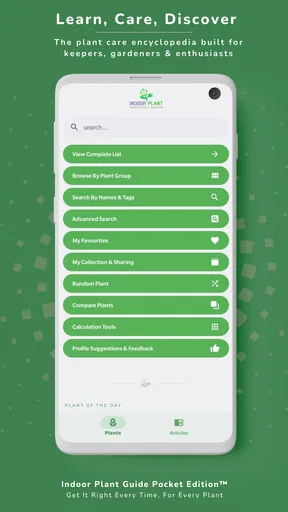
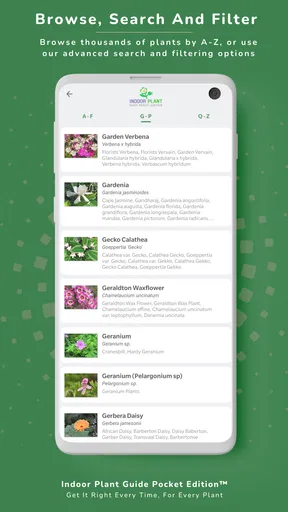
The first thing that caught my attention with Indoor Plant Guide Pocket Ed. is how user-friendly it is. As soon as you open it, you’re greeted with a clean and intuitive interface. No overwhelming options, just a straightforward menu to help you navigate through the app's features. You can dive right into learning about specific plants or browse through an extensive library of plant profiles. It’s like having a plant encyclopedia in your pocket!
For a new owner, that browse-first approach is useful when the plant shop label gives only a name, or no helpful instructions. I would check the profile before settling on a permanent spot, then compare its light needs with the actual windows and shaded areas in my home. That can prevent a common mistake: choosing a plant for the look of a room and only later discovering that the best-looking shelf is also the darkest one.
Using profiles as a troubleshooting aid
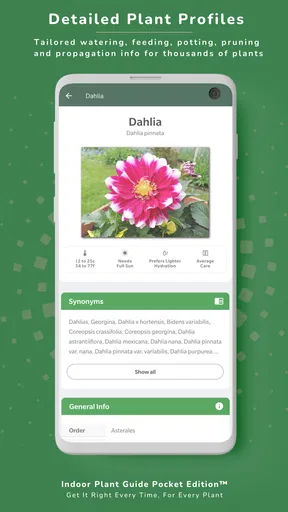
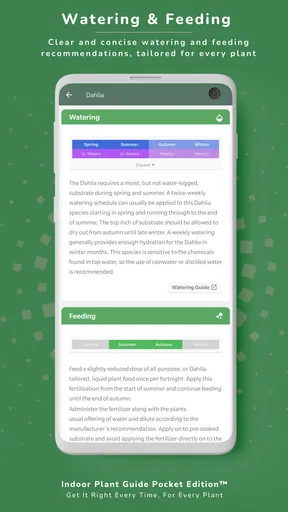
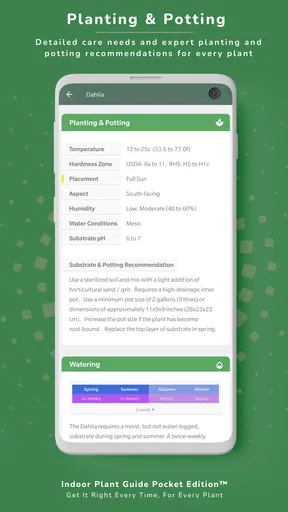
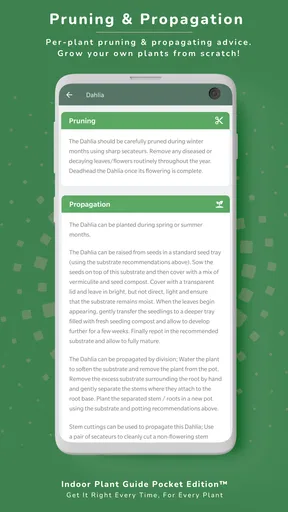
One of the standout features of this app is its comprehensive database. Whether you’ve got a fiddle leaf fig or a humble pothos, the app has you covered. Each plant profile includes detailed information about care instructions, light requirements, watering schedules, and even potential pest issues. I found this super handy, especially when I realized I had been overwatering my succulents. Whoops!
If you're unsure about what plant you have, the app's identification feature comes in clutch. Just snap a picture of your plant, and the app will do its best to identify it. It’s not foolproof, but it’s pretty darn accurate most of the time.
I would use photo identification as a shortlist, not a final verdict. A close-up of a healthy leaf is more useful than a dim picture of the whole plant, and look-alike varieties can still be confusing. Once I have a likely match, I can compare its profile with the plant’s shape and growth habits before following detailed advice. That extra check is especially worthwhile if the plant is stressed: a wrong identification can send me toward the wrong watering or light routine.
Turning advice into a manageable schedule
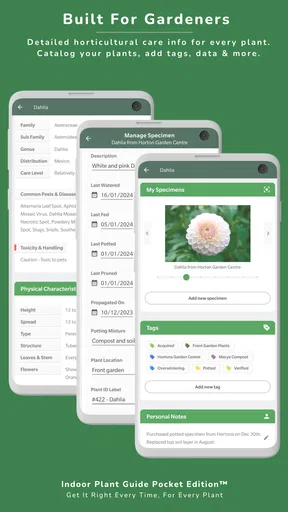
Another feature I love is the customizable care reminders. I used to rely on sticky notes all over my house to remember when to water or mist my plants. But with this app, you can set reminders tailored to each plant’s needs. No more guessing games or forgetting to water my ferns!
The reminders are easy to set up and can be as frequent as you need. Plus, the app sends you notifications, so you’re always in the loop. It’s like having a personal plant assistant who never sleeps!
For a household with several plants, I would begin with only the reminders that prevent a real problem, such as checking a plant that is easy to forget or doing a regular inspection for pests. Adding a notification for every possible task can create so much noise that I start ignoring all of them. A reminder to inspect is often safer than a fixed watering prompt: when it appears, I can check the soil and decide whether watering is actually appropriate. That small distinction helps the schedule support observation rather than replace it.
When a question needs another person
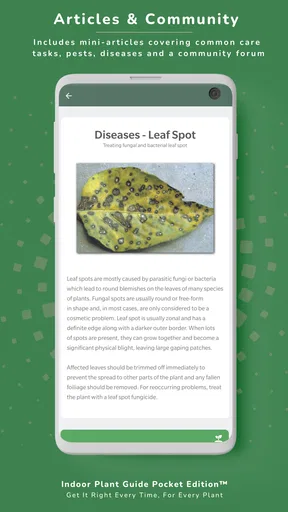
Feeling stuck or need some advice? The app includes a community section where you can connect with other plant lovers. You can share tips, ask questions, or even show off your plant babies. I’ve picked up some great tips from fellow users, like using coffee grounds as fertilizer. Who knew?
Additionally, the app provides seasonal tips to help you adjust your plant care routine throughout the year. This is particularly useful if you're like me and tend to forget that plants have different needs as the seasons change.
I see the community as a second opinion, not a reason to apply every suggestion. Advice from another grower may come from a different climate, home, or potting setup, so I would ask what conditions they are dealing with before copying a remedy. The seasonal guidance is also a prompt to review habits, rather than a command to change every plant at once. If light shifts or a room becomes cooler, I can revisit the relevant profiles and adjust gradually.
Everyday use, trade-offs, and who it suits
Imagine bringing home a pothos after work and placing it on a shelf because that spot looks right. Later, a leaf starts yellowing. I can check the plant profile, review its care needs, and use the identification tool if I am not sure of the name. Then I can inspect the soil and the light in that exact spot before making one change. A reminder can bring me back to check progress, while the community may help me think through a symptom that remains unclear. The useful outcome is not an instant diagnosis; it is a more deliberate sequence that avoids changing water, light, and location all at once.
That workflow is where this app is most helpful for beginners and casual plant owners who have a handful of different plants and want one reference point. It is also handy for someone inheriting plants or trying to keep a new purchase alive through its first few weeks at home. The app is rated for Everyone, has an average rating of 4.6 from around 190 ratings, and has been installed over 10,000 times. Those figures suggest a well-received niche guide, though I would still judge it by whether its reference style suits my own habits.
Compared with searching the web each time, a plant guide can make it easier to return to care information in one place instead of sorting through conflicting pages and forum posts. Compared with a simple checklist or calendar, the profiles add context about why a plant may need a different routine. But a general-purpose reminder app can be better if all I need is a basic schedule, and an active local plant group may be more useful when I need someone to examine a difficult symptom in detail. The guide sits between those options: reference first, routine support second, and community advice as a helpful extra.
There are practical limits to that approach. A profile cannot account for every combination of window direction, heating, humidity, container, and soil, so I still need to judge the conditions in my home. Photo identification can point me in the right direction but should not be treated as certain, especially with similar-looking plants. And advice from a community member may not fit my situation. I would skip this app if I expect it to diagnose every problem automatically, or if I already know my plants well and do not want a paid reference tool.
What to expect from the guide over time
Visually, the app is a treat. The interface is beautifully designed with high-quality images and an aesthetically pleasing color scheme. It makes exploring the app a joy. Navigation is a breeze, with everything logically organized and easy to find. Whether you’re a novice or a seasoned plant parent, you’ll feel right at home using this app.
One tiny gripe I have is that the app occasionally runs a bit slow when loading images, but it’s a minor issue that doesn't detract from the overall experience.
That delay matters most when I am trying to compare plant images quickly, so I would not rely on it as a rapid answer while shopping. At home, the guide works better as a calm reference: identify the question, open the relevant information, and give myself time to compare it with the plant in front of me. If I am building a collection, I would also keep my own simple notes about where each plant sits and what I changed. That makes it easier to connect a later improvement or decline with a real adjustment instead of guessing from memory.
A sensible fit for plant owners who like to learn
All in all, Indoor Plant Guide Pocket Ed. is a fantastic tool for anyone looking to up their plant care game. It’s packed with useful features, from detailed plant profiles to helpful reminders and a vibrant community. Whether you’re just starting out or have an entire indoor forest, this app is well worth a download.
The current version is 4.16 and it runs on Android 6.0 or later. It was released on March 22, 2019, and the $2.99 price is easiest to justify if I expect to consult the profiles more than once or use reminders to manage several plants. If I only own one low-maintenance plant, free web searches may be enough. If I want a structured reference that I can return to as my collection changes, the one-time decision to buy a dedicated guide feels more reasonable than piecing together advice from unrelated sources.
So, if you’re ready to transform your home into a plant paradise (without the stress!), give this app a try. It’s like having a trusty plant guru at your fingertips, and who wouldn’t want that?
Verdict
Strengths of Indoor Plant Guide Pocket Ed.
- Comprehensive plant database.
- User-friendly interface.
- Offline access available.
- Customizable plant care reminders.
- Visual plant identification feature.
Limitations of Indoor Plant Guide Pocket Ed.
- Limited to common plant species.
- No community forum for users.
- Requires frequent updates.
- Ads in the free version.
- Occasional app crashes.
Other Releases by M.Stevens
View All
Crystal Guide® Pocket Edition
Books & Reference4.6
Similar Picks in This Category
View All
Universal TV Remote Control
CodeMatics Media Solutions3.9

AlfredCamera Home Security app
Alfred Systems Inc.4.7

Planner 5D: AI Home Design
Planner 5D4.5

Universal Tv Remote-Cast to TV
One Music Player4.1

Zillow: Homes for Sale & Rent
Zillow Group4.8

99acres Buy/Rent/Sell Property
infoedge.com4.3
Frequently Asked Questions
What features does Indoor Plant Guide Pocket Ed. offer?
Indoor Plant Guide Pocket Ed. offers a comprehensive database of indoor plants, complete with detailed care instructions, light and watering requirements, and pest management tips. The app also includes a plant identification feature using your device’s camera, allowing you to easily identify and learn about new plants.
Is Indoor Plant Guide Pocket Ed. suitable for beginners?
Yes, the app is designed with beginners in mind. It provides easy-to-follow instructions and tips for plant care, making it an excellent resource for those new to indoor gardening. The user-friendly interface ensures that even novice users can navigate and utilize the app effectively.
Does the app require an internet connection to function?
Indoor Plant Guide Pocket Ed. primarily works offline, allowing you to access plant care information without an internet connection. However, features like plant identification and updates may require connectivity to provide the most accurate and current data.
Are there any in-app purchases or subscription fees?
The app is free to download, but it offers optional in-app purchases. These might include premium features such as advanced plant care tips, access to exclusive plant varieties, or an ad-free experience. Users can choose to upgrade based on their needs and preferences.
How accurate is the plant identification feature?
The plant identification feature uses advanced algorithms to accurately identify plants through photos. While it is generally reliable, accuracy can depend on photo quality and lighting conditions. For best results, ensure your photos are clear and well-lit. Regular updates aim to improve this feature further.
